Edit
See what your draft is doing before you decide what to change.
Edit keeps the manuscript in front of you while giving you different ways to examine it, from a single repeated word to the rhythm of an entire chapter. The analysis stays beside the prose; nothing rewrites it unless you choose to apply a change.
Make the patterns visible
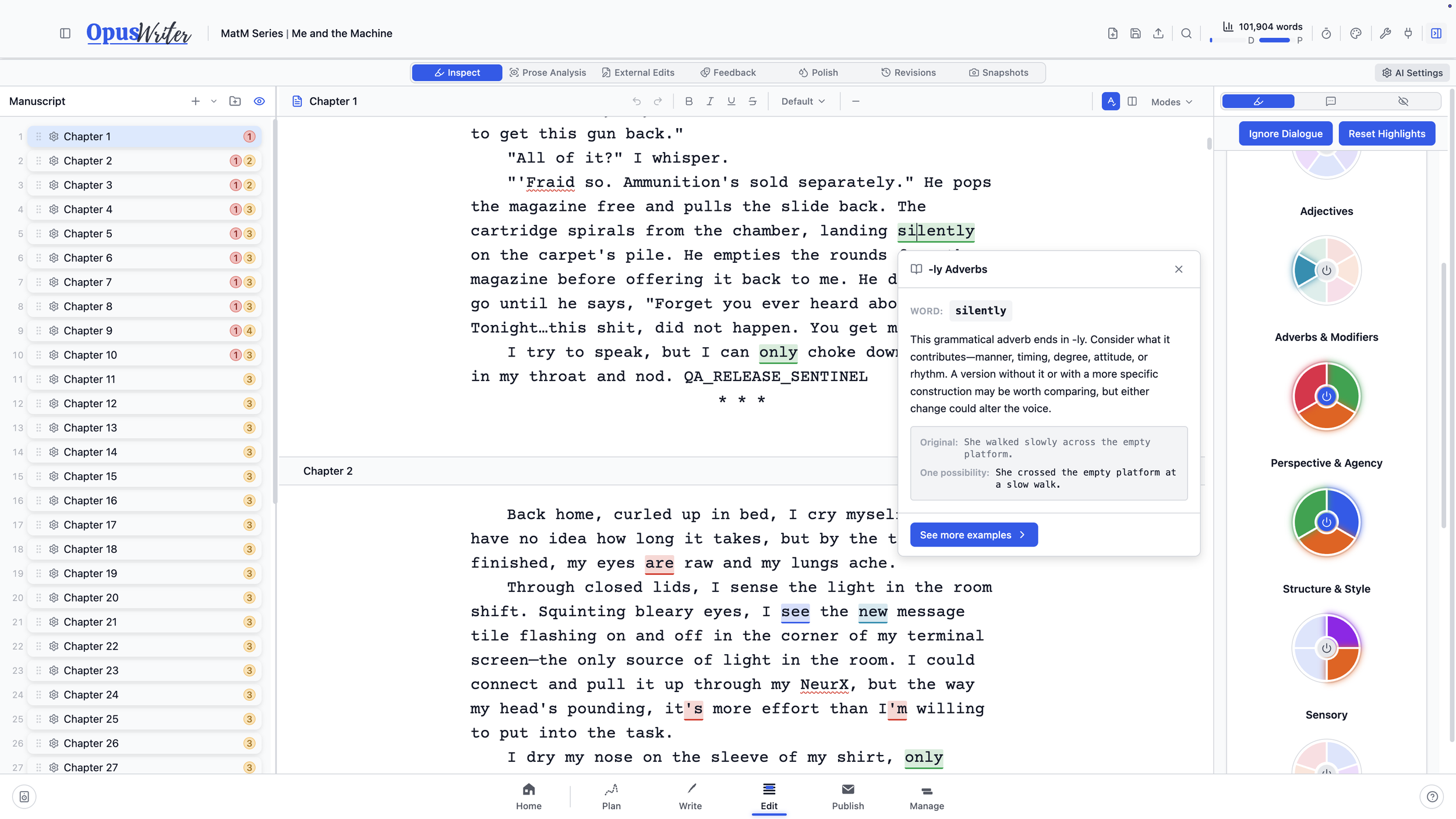
Turn on only the lenses you need for this pass. More than 50 options can mark viewpoint filters, general-purpose verbs, named emotions, intensifiers, clichés, nearby repetition, passive voice, sentence patterns, rhetorical devices, and much more directly in the chapter.
Finding something isn’t the same as condemning it. Each tool explains what it marks, how to judge it in context, and when it may be doing useful work. Change the colors, ignore dialogue, or add a word to your project’s exceptions.
Set the project’s writing language and Edit changes with it. English, German, French, Spanish, and Brazilian Portuguese each use their own patterns, word lists, guidance, and readability calibrations. The language packs also make room for concerns that don’t have a useful English equivalent. Spellcheck draws on the project vocabulary built from names and aliases entered in Plan too.
Step back from the sentence
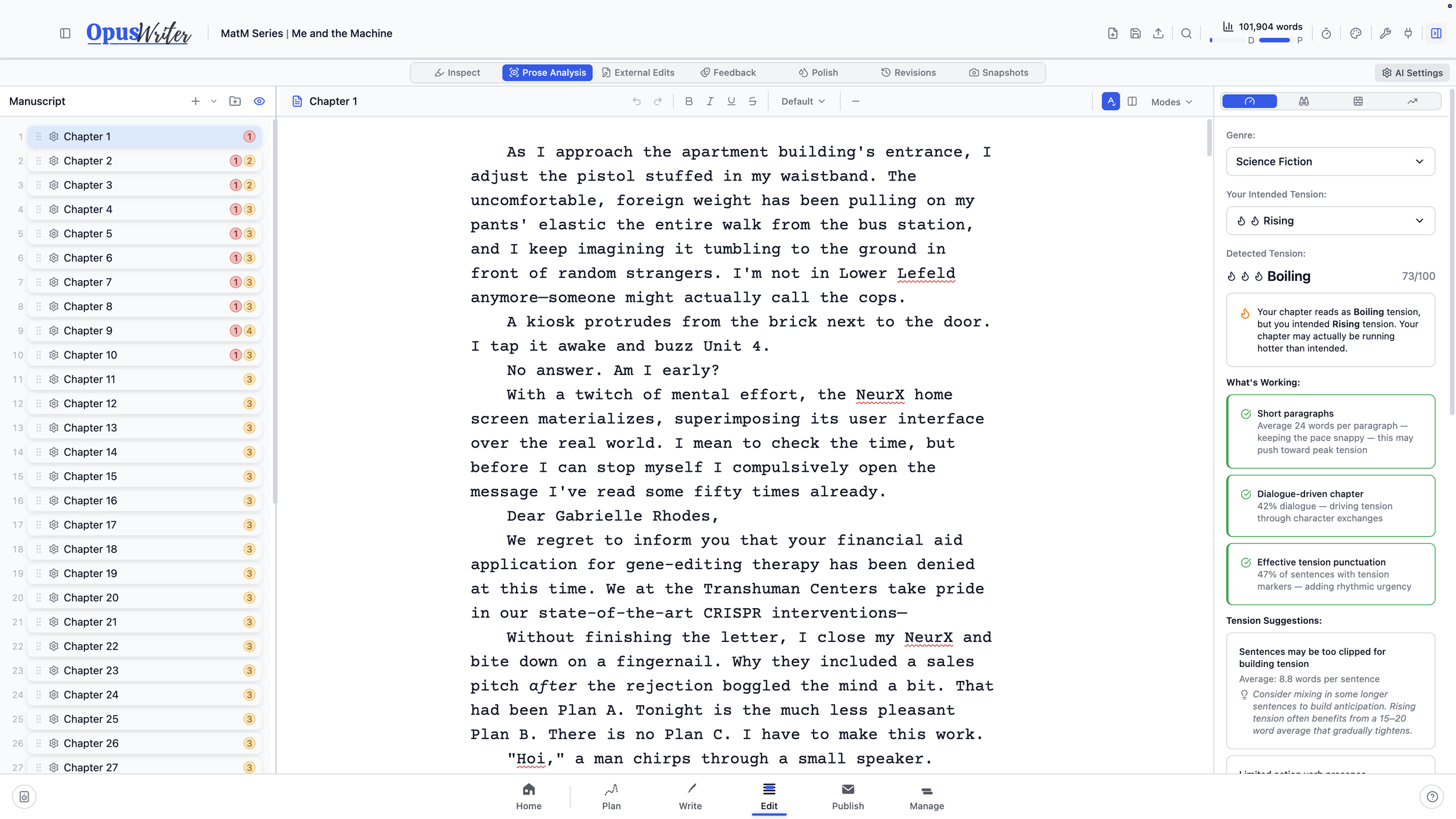
Edit can also examine the chapter as a whole: dialogue balance and attribution, tension, readability, sentence and paragraph structure, pacing, action versus introspection, and common sentence openers.
If you set the intended tension while outlining in Plan, it arrives here. Edit compares that intention with signals in the prose and gives you a read on whether the scene is simmering, rising, or boiling. It won’t know your story better than you do, but it can show the distance between the scene you planned and the scene on the page.
Send the book to Word without leaving it there
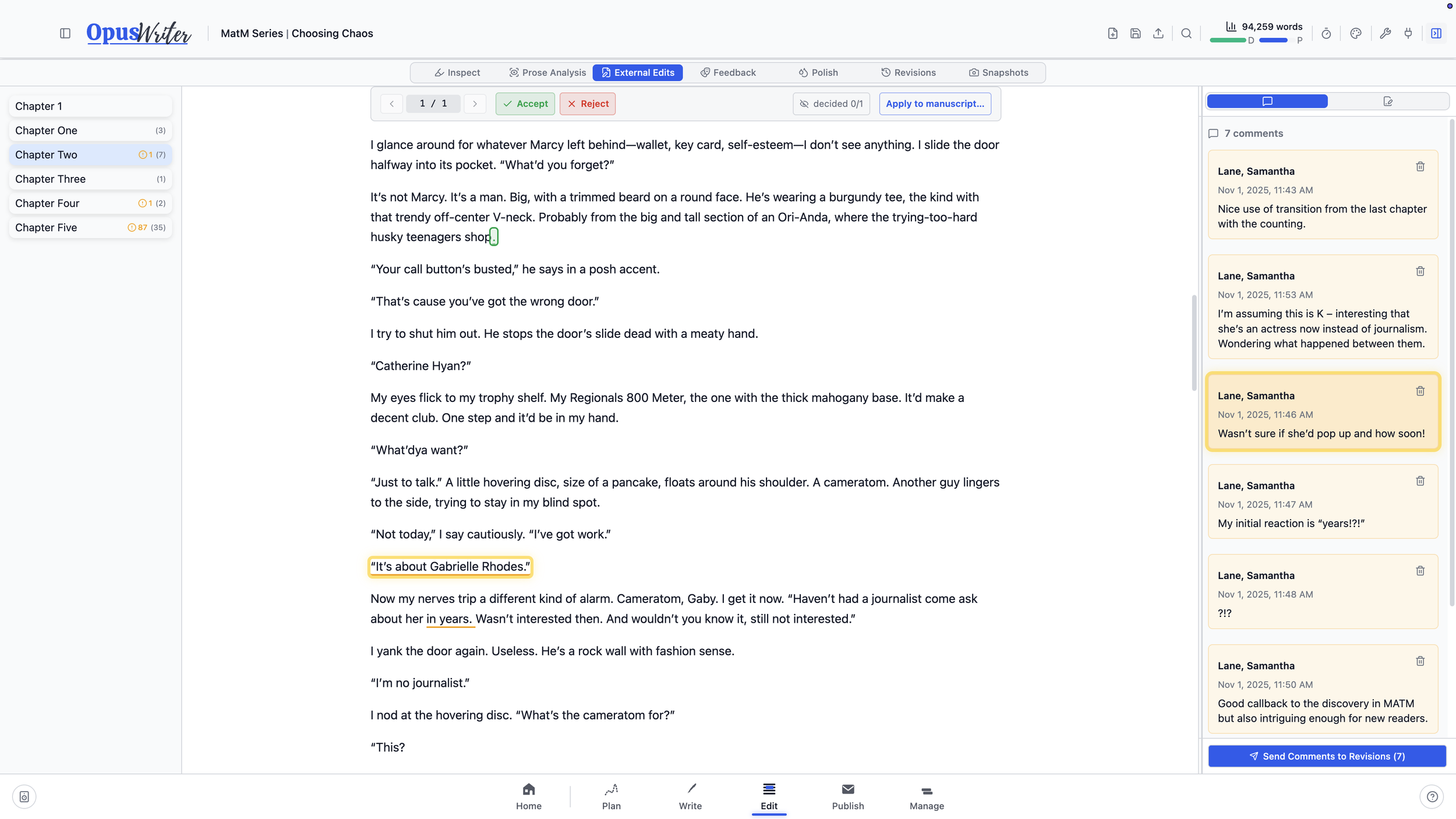
Most editors and beta readers work in Word, so Publish can export a Critique DOCX for them. When the marked-up file comes back, External Edits loads its Track Changes and Comments into OpusWriter, detects the chapter boundaries, and matches them to your manuscript.
Review additions and deletions one at a time, accept or reject each, then apply only the chapters you’re ready to change. Comments can return as notes anchored to the relevant passages. Keep several files in progress at once when feedback arrives from multiple readers or over several rounds.
Before an outside revision replaces manuscript text, OpusWriter takes a snapshot of the chapter.
Everything described above is built in and works without an AI connection or subscription.
Keep every opinion separate
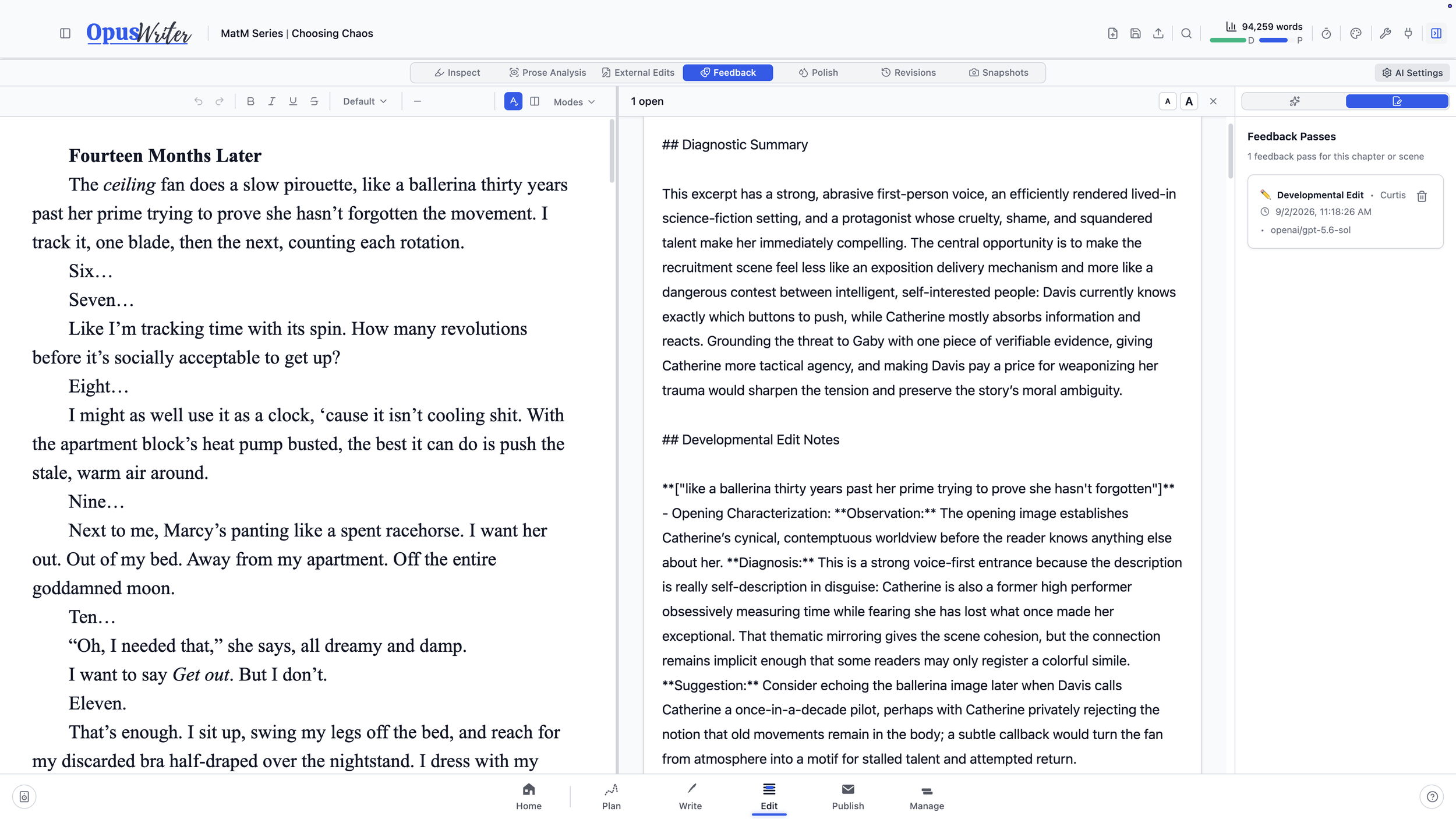
Your own revision notes, Word comments imported from human editors and beta readers, and any notes extracted from the optional AI feedback* all sit side by side in Revisions without losing their source. Open the sources you want beside the manuscript, give each reviewer a color, hide their inline marks when you need a quieter page, and work through comments without mixing one person’s advice with another’s.
*OpusWriter is a human-first writing app. It has no built-in AI service and requires no AI connection. If you want the additional Feedback and Polish tools, you can connect your own provider using the included setup instructions. Even then, OpusWriter will not write your story for you.
Choose the reader, not just the prompt
OpusWriter separates two decisions that generic AI feedback tends to collapse. First, decide what kind of response you want. A beta read describes the experience of reading the chapter, while a developmental edit recommends specific changes. Then choose the reader.
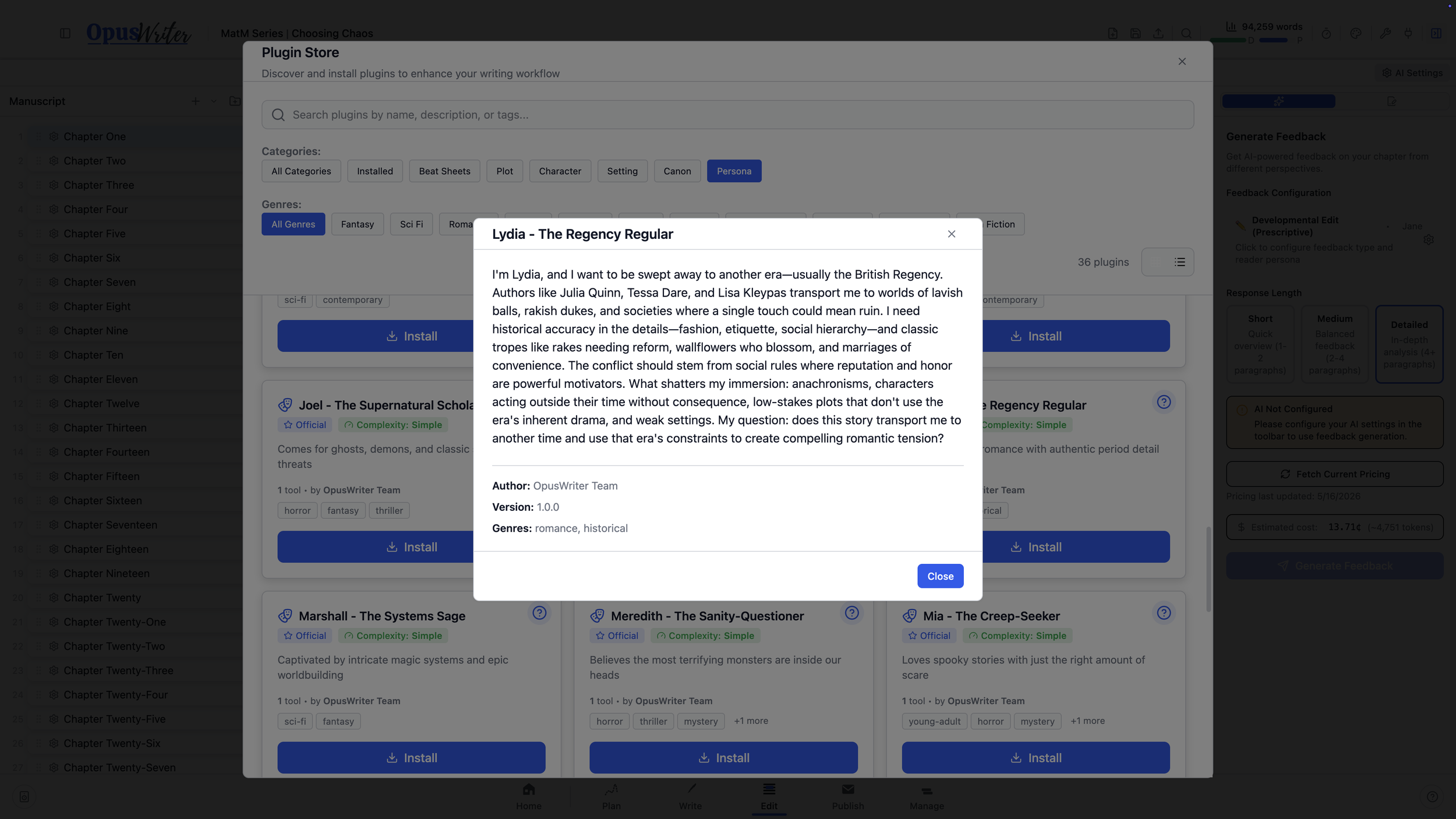
With more than 30 reader personas, OpusWriter lets you choose what kind of reader responds to your work. Each brings different preferences, genre and trope expectations, and pet peeves. Choose one who resembles your intended audience, or perhaps one just outside it. They’ll respond to the same chapter differently, and both perspectives can be useful for different reasons.
Polish is a separate tool for line-editing and proofreading passes. Generated versions remain in their own history, and useful feedback can be extracted into notes anchored to the relevant passages. The manuscript changes only when you decide to apply a result.