
Manage
The books in your series belong together. Why keep them in separate files?
Keep every book in one OpusWriter project, switch between them without leaving your work, and decide exactly what carries from one book to the next.
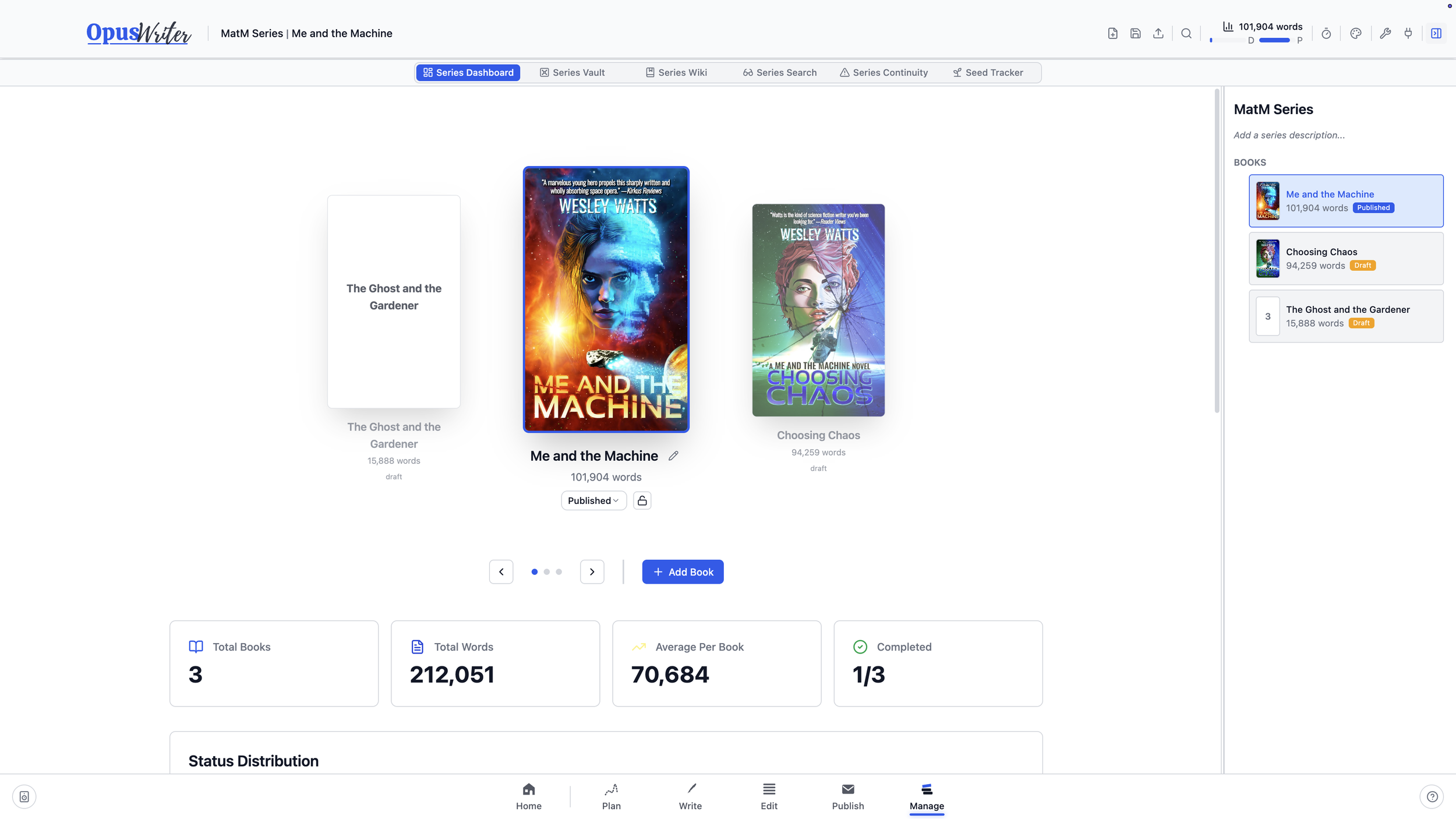
Move between books without leaving the project
An entire series can live in a single OpusWriter file. Choose a book in Manage and Plan, Write, Edit, and Publish all move with you. There’s no closing one project, finding another file, and reopening the app whenever you need to check or work on a different book.
It also means one file to move, back up, or bring to another computer, no matter how many books the project contains.
Give each book a cover and mark it as a draft, complete, or published. The dashboard keeps the series in view with word counts, book-by-book comparisons, and completion statistics. When a book is finished, lock it against accidental changes while you work on what comes next.
Decide what belongs to the series
A character appearing in one book shouldn’t automatically appear in every other book. The same is true of settings, creatures, technologies, magic systems, and the rest of your canon.
Send the things you want to carry forward to the Series Vault, then import them into another book when they’re needed. Each book receives its own version, so a character can age, change occupations, acquire a new title, or become known by a different name without altering an earlier book.
The Vault keeps those versions together as one concept, letting you move between them without forcing them to match.
Manage also includes a Continuity Scanner for comparing character and setting details across books. It can flag conflicting or incomplete information while letting you mark differences that are intentional.
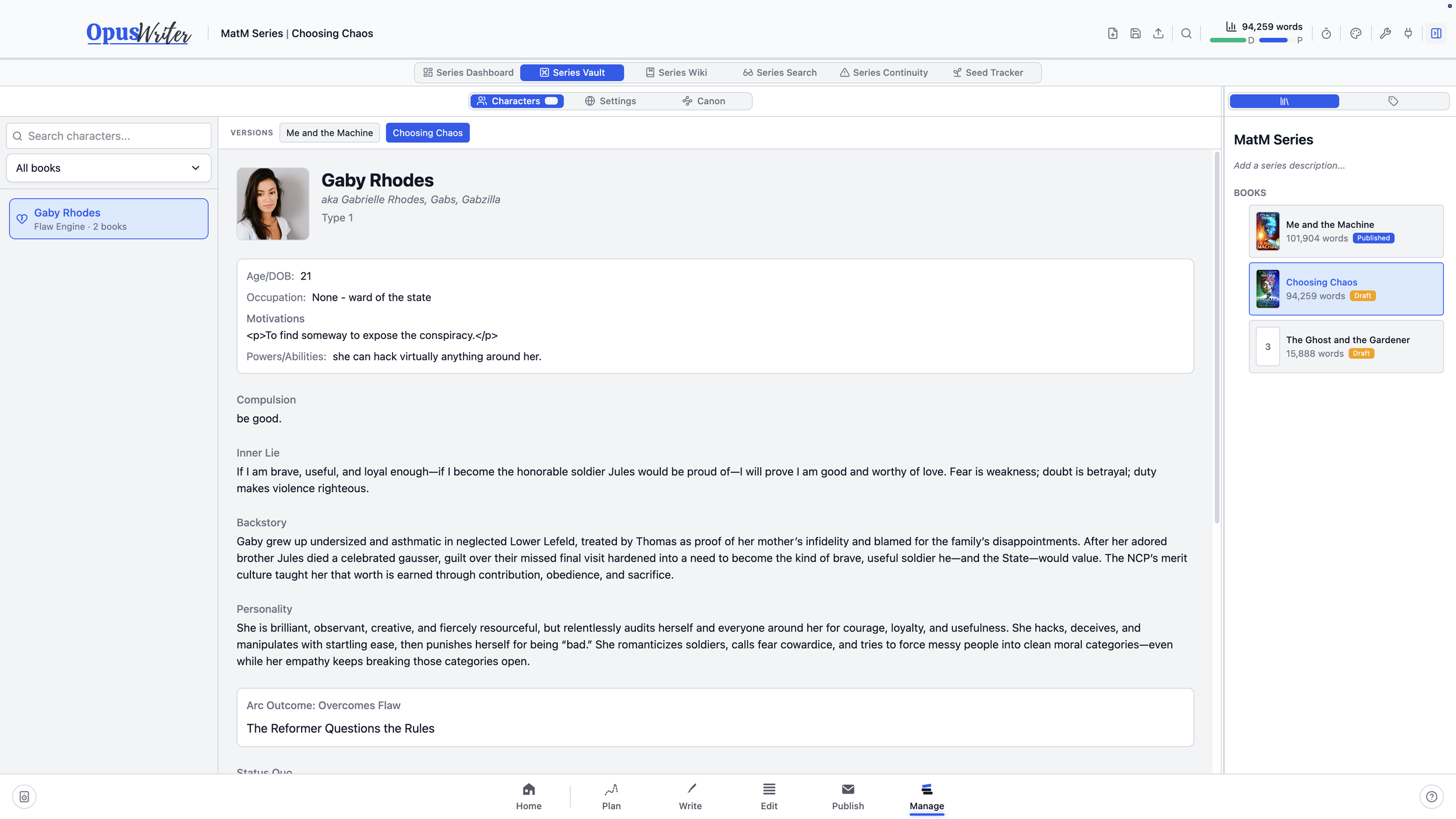
Search the series, not one book at a time
Search across manuscripts, characters, plots, settings, canon, Quick Notes, the Series Vault, and the Wiki at once. Narrow the results to particular books or kinds of material when you know where to look.
You can also search for two terms together, including the option to require both within the same paragraph. Select a result and OpusWriter opens the right book, workspace, and item rather than leaving you to find it again.
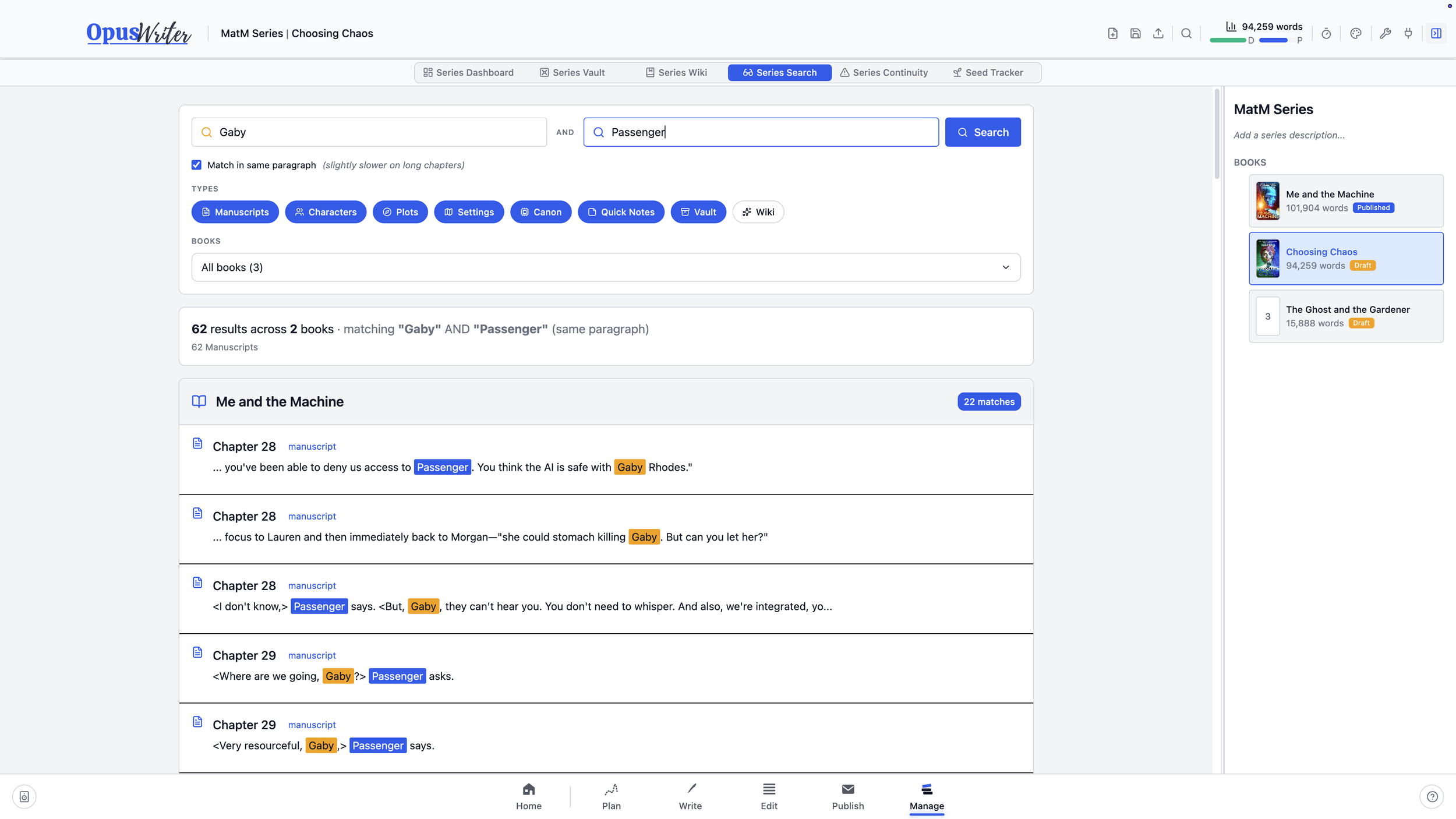
Build the reference book as you write the books
The Series Wiki gives the entire project a reference work of its own. Organize pages into a nested structure, add tags and aliases, and connect entries to one another or directly to characters, settings, and canon in the Vault. Backlinks show which pages refer to the entry you’re reading.
Planning sheets can be sent to the Wiki or inserted from any book in the series. Add your own notes around them, then bring in the latest version from the source when it changes.
Plant it in one book. Pay it off in another.
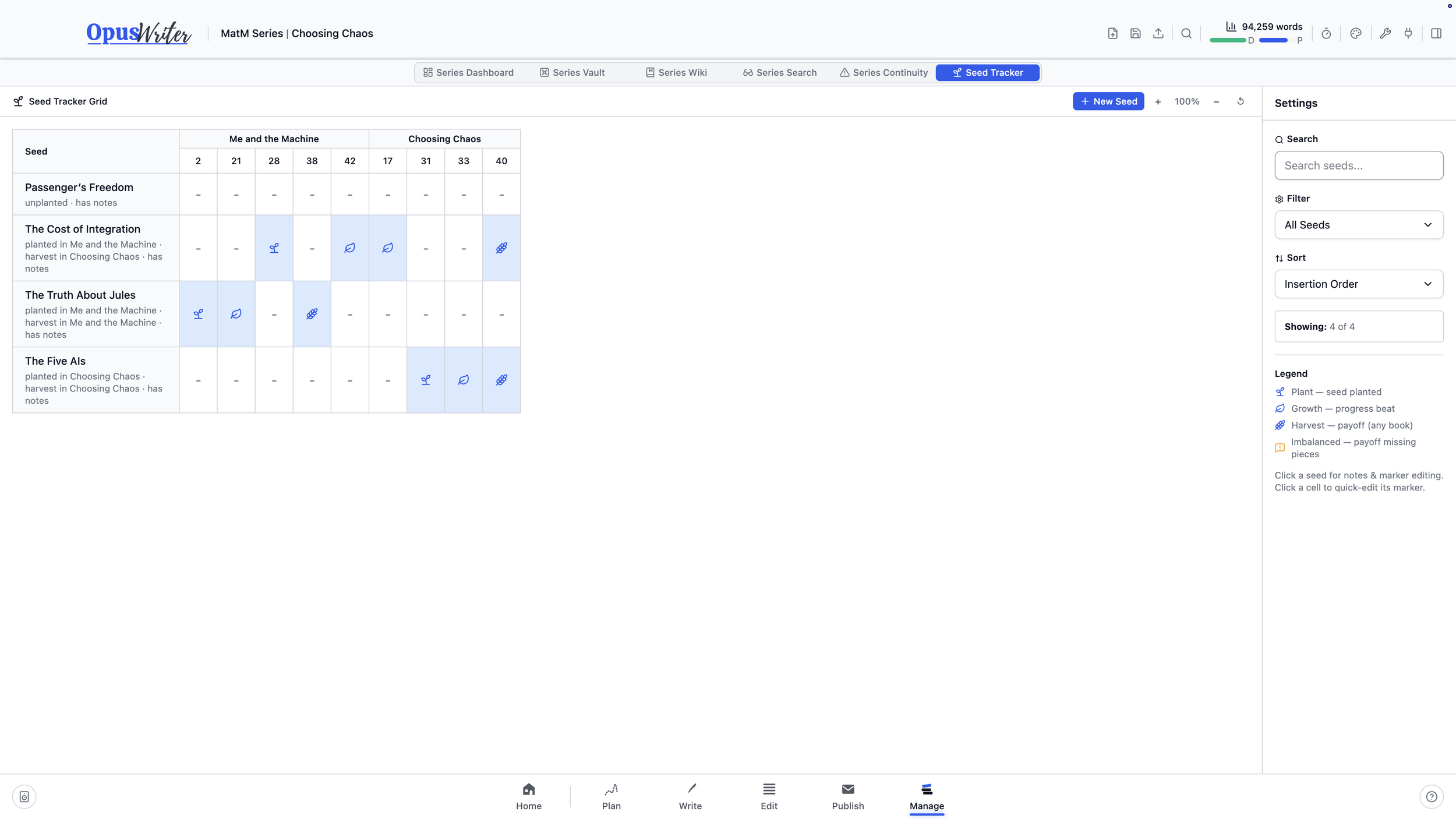
Series Seeds tracks story threads that begin in one book and continue through the rest of the series. Mark where a seed is planted, where it develops, and where it finally pays off, whether it’s a mystery, relationship, prophecy, or running joke.
You can place those markers from Write while you’re drafting. Manage brings them together in a grid across every book and chapter, making it easier to spot a payoff without a setup, a thread missing its expected development, or a seed the finished series never harvested.
Try OpusWriter free
Explore Manage and every other workspace for 30 days. No credit card required.
Download OpusWriter