
Publish
Every format gets its own edition. You keep one manuscript.
Turn your book into a paperback, hardcover, ebook, ARC, submission manuscript, critique copy, web page, or audiobook script. Give each its own structure, typography, and settings without creating eight copies you have to keep in sync.
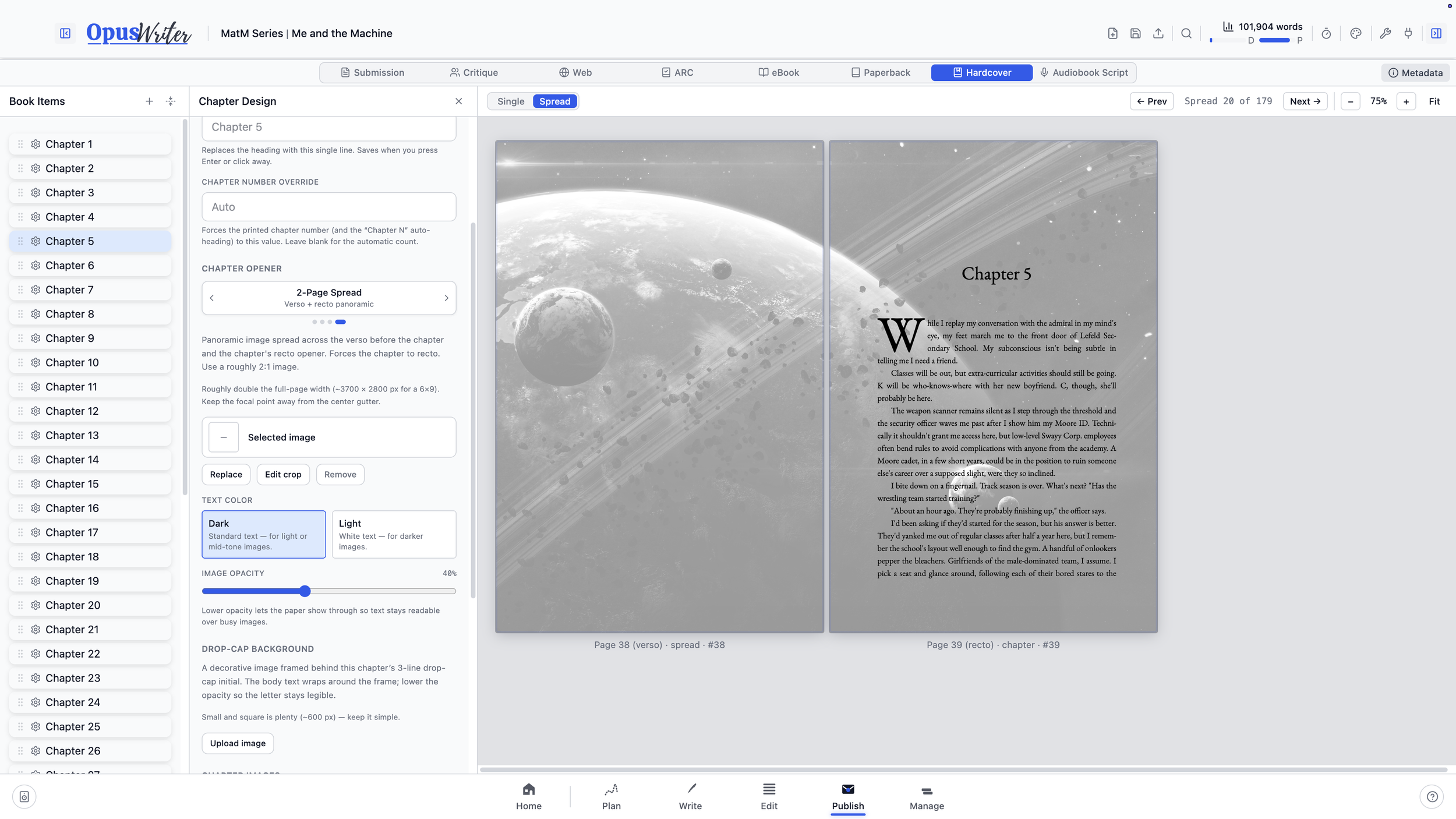
A paperback isn’t an ebook with page numbers
Each format is treated as its own edition. Your paperback and hardcover can use different trim sizes, margins, typography, and front matter. Your ebook can have its own cover and sections. Your submission manuscript can follow an entirely different set of conventions.
Styles chosen while drafting in Write carry into Publish. The meaning remains attached to the text, while you decide how that style should appear in each format.
If two editions should look alike, copy the settings from one to the other with the push of a button. If they shouldn’t, they don’t have to.
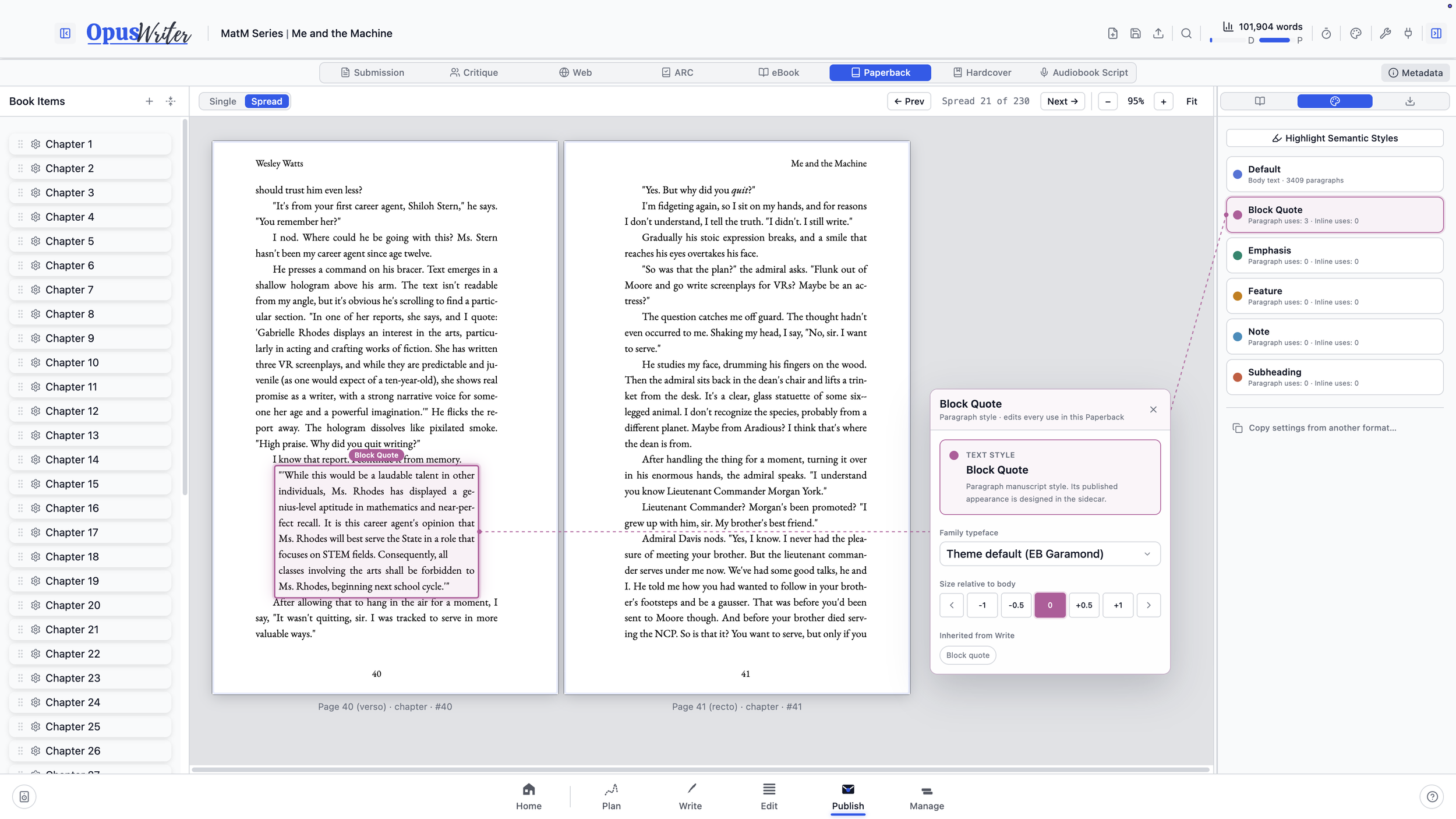
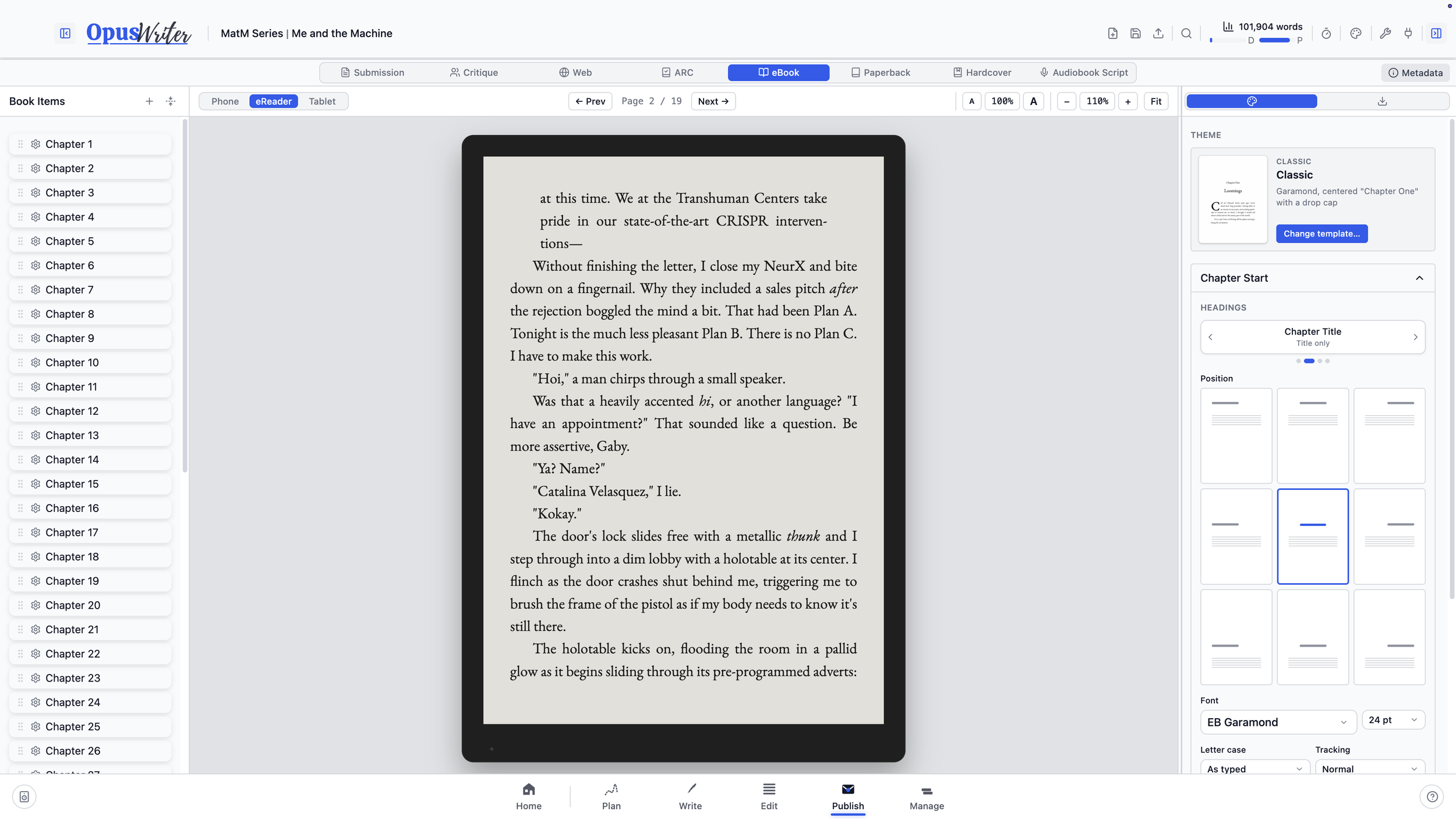
Start with a design, then make it yours
Choose from 17 book designs and 25 bundled font families, or import your own fonts. From there, adjust the body typography, chapter headings, drop caps, small caps, scene breaks, ornaments, running heads, page numbers, and the appearance of the Styles used in your manuscript.
Underneath those controls, OpusWriter uses HarfBuzz font shaping to handle details like kerning and ligatures, along with justification and English-language hyphenation. The preview and exported PDF are built from the same pagination data, so the preview isn’t a browser approximation of the finished book.
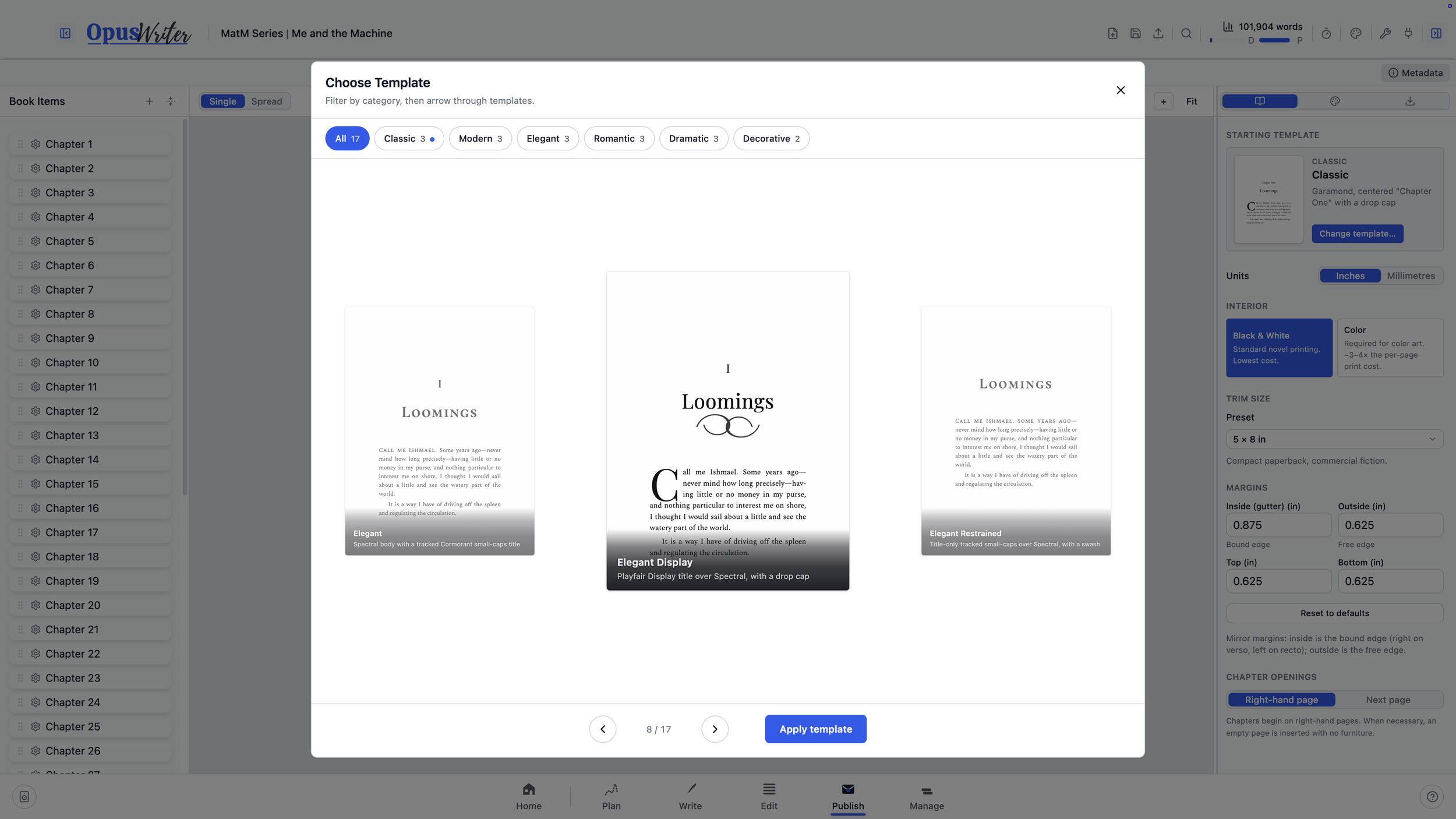
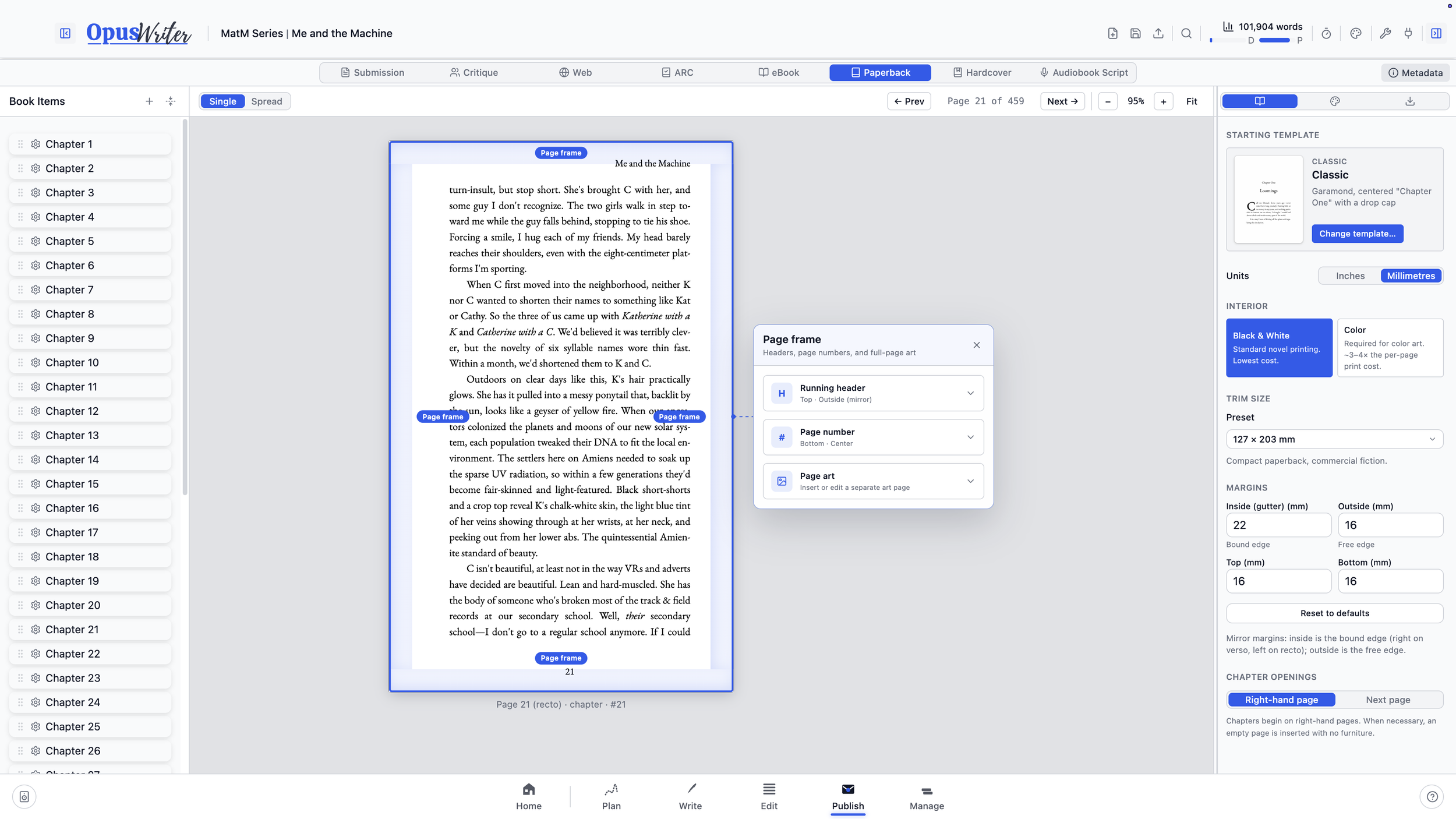
Set up the printed page
Choose from standard trim sizes used by KDP and IngramSpark, work in inches or millimeters, and set mirrored inside, outside, top, and bottom margins. Chapters can begin on the next available page or always open on the right.
Running heads and page numbers can change between verso and recto pages, disappear from chapter openers and front matter, or be overridden for individual sections.
Print PDFs include embedded fonts, PDF/X-1a:2003 metadata, and a SWOP ICC output intent. Bleed is added automatically when edge-to-edge artwork requires it. Crop marks are never added because print-on-demand interiors are uploaded at their bleed dimensions without them.
Build the ebook as an ebook
OpusWriter creates reflowable EPUB 3 files rather than shrinking a print layout onto a screen. Choose an EPUB for Apple Books, Kobo, and IngramSpark, or a Kindle/KDP version with the additional navigation Amazon expects.
The finished EPUB includes navigation, embedded assets, structured metadata, and accessibility information. Before export, OpusWriter checks its internal references, cover, and required metadata.
Readers remain in control of their preferred font size while your chapter treatments, scene breaks, images, and Styles carry into the reflowable design.
Agents, early readers, and narrators need different documents
Submission creates a conventional Shunn-style DOCX with a manuscript title page, running head, 12-point type, double spacing, and your choice of US Letter or A4. Blind submission mode removes identifying information from the title page, running head, file metadata, and filename.
Critique creates a reader copy for beta readers or critique partners. Send the entire book or select particular chapters, add questions for the reader, then bring their Word Comments and Track Changes back into Edit.
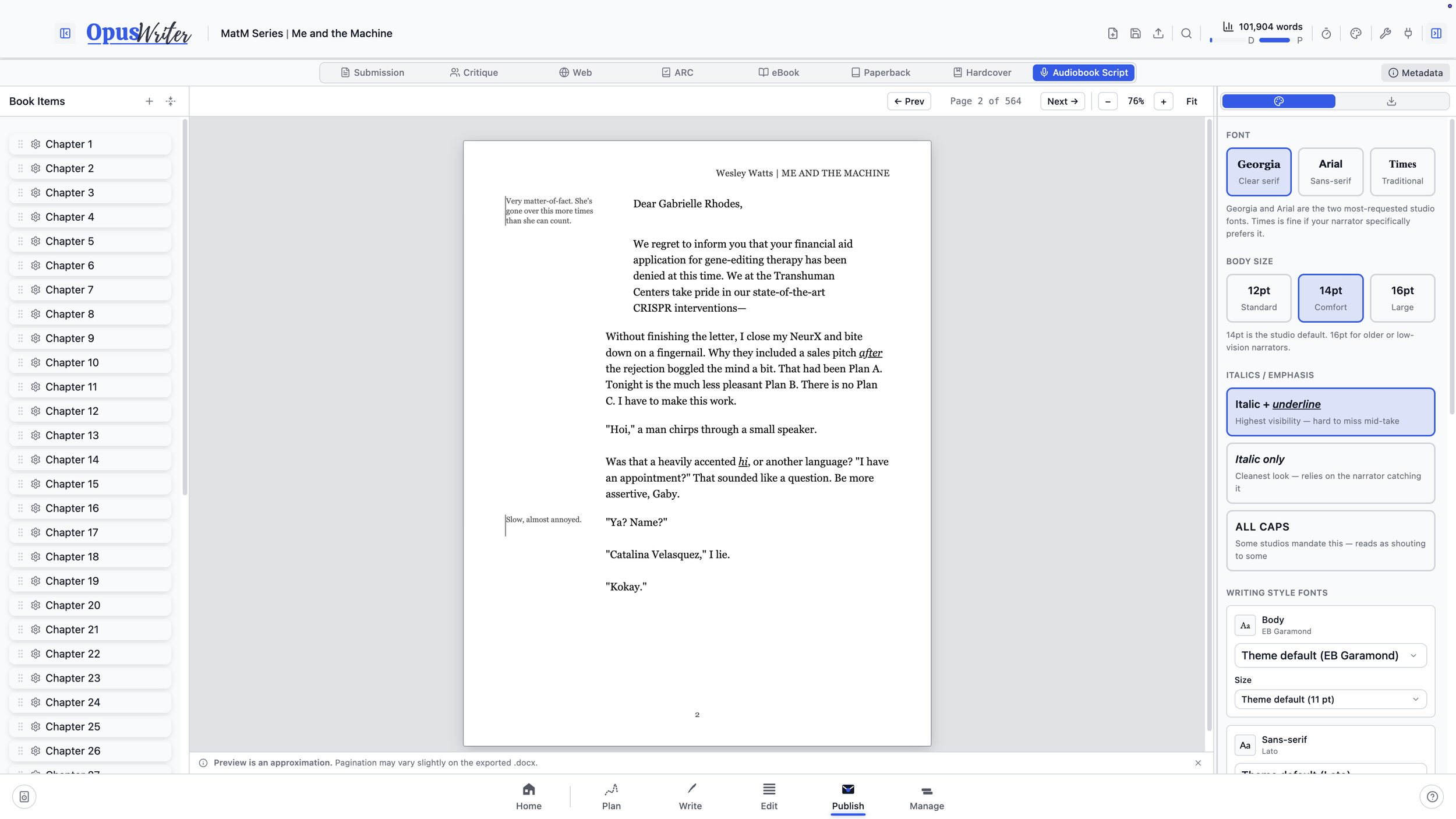
Audiobook Script creates a narrator-ready DOCX with chapter cues, a pronunciation guide, performance notes, and clearly visible emphasis. Notes attached to individual paragraphs appear beside the corresponding text, where a narrator can use them without hunting through a separate document.
Try OpusWriter free
Explore Publish and every other workspace for 30 days. No credit card required.
Download OpusWriter