
Plan
Plan as much or as little as your process needs.
There are nearly as many ways to plot a book as there are writers. Start with a few loose notes, map every scene before drafting, or move between the two as the story takes shape. Plan gives each approach room to work while keeping everything connected to the manuscript it’s meant to become.
Outline
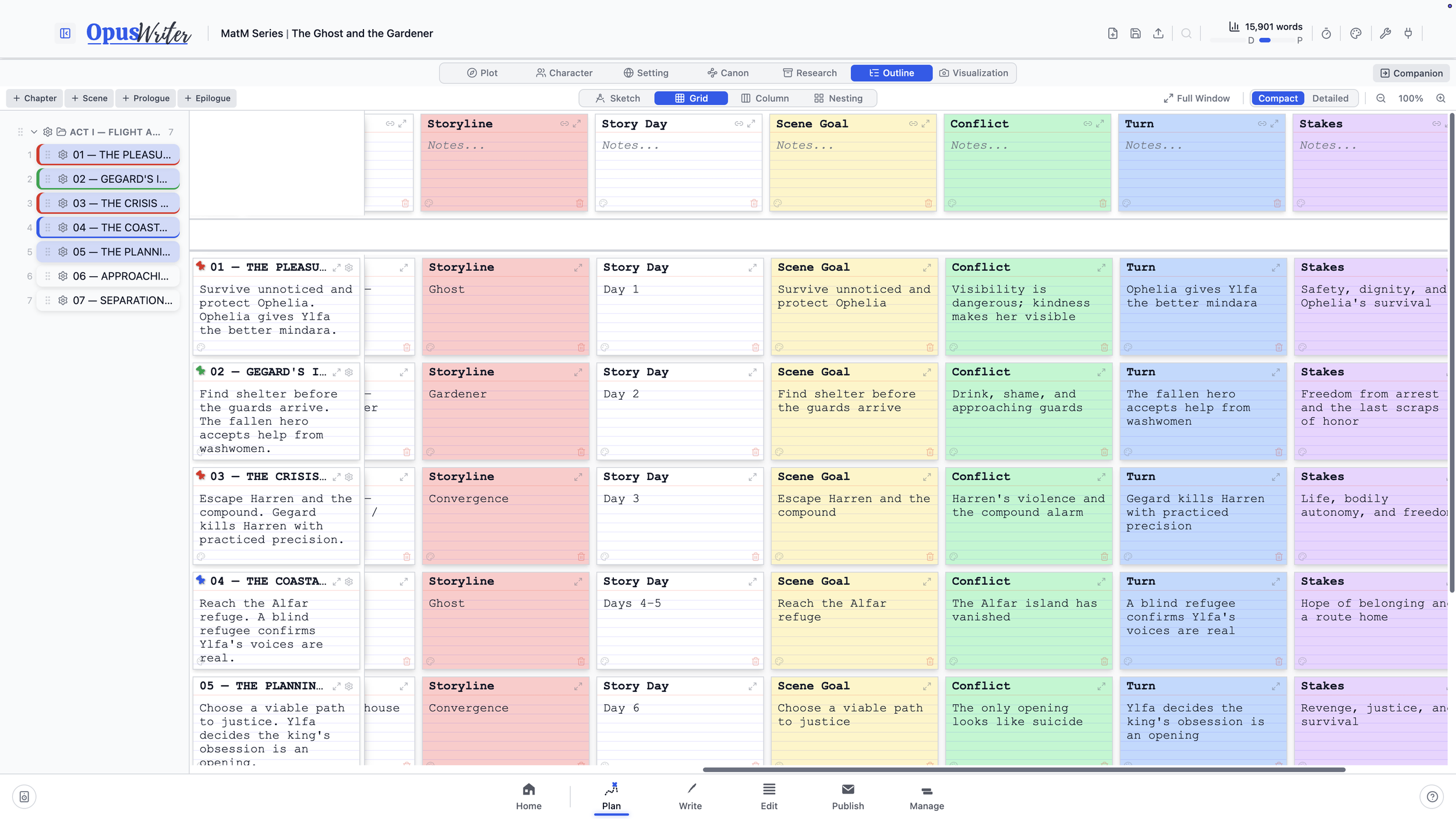
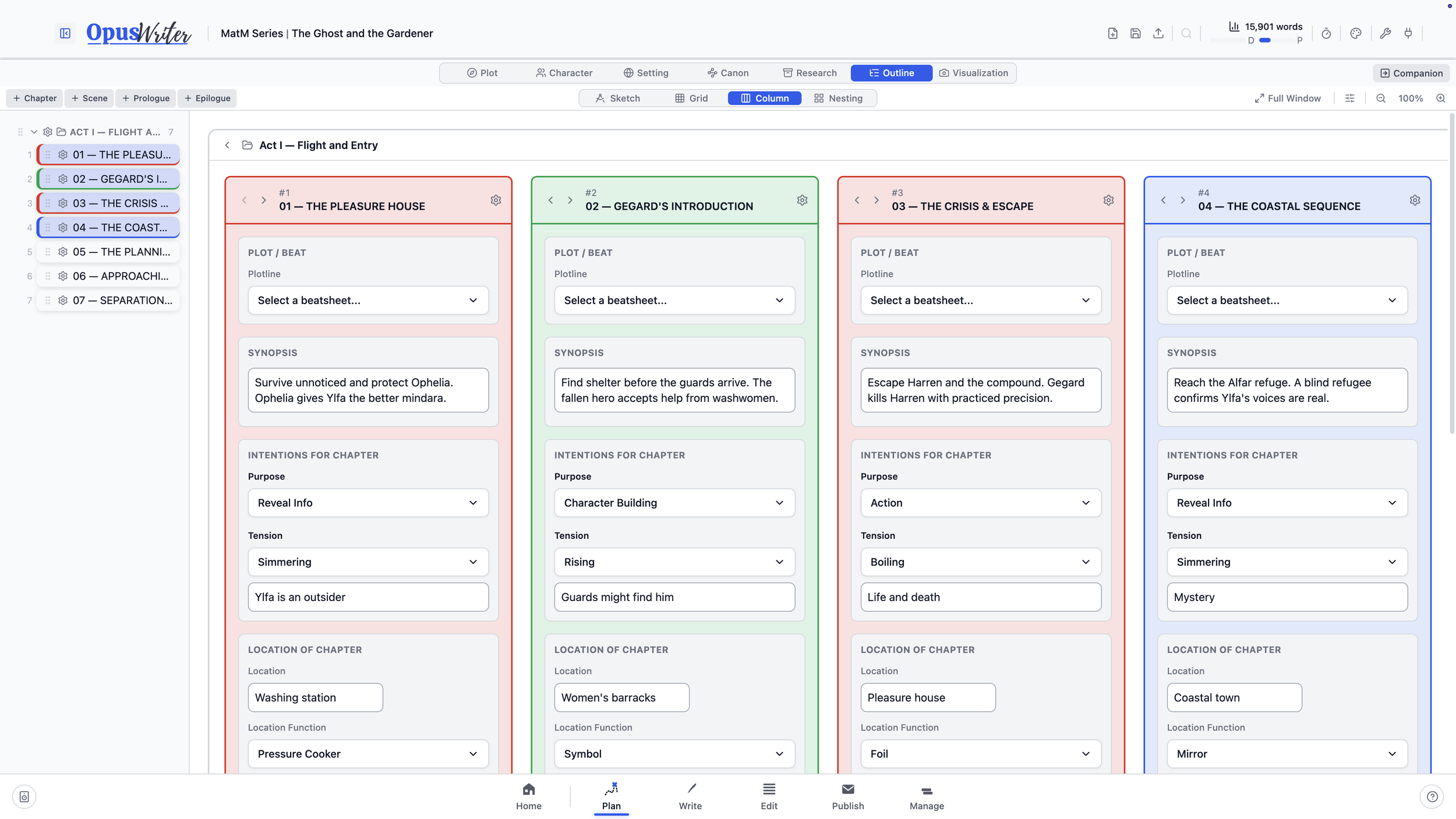
Writers don’t all organize stories in the same way. Sketch, Grid, Column, and Nesting offer four distinct approaches, so you can choose the one that fits your process or mix and match.
Whichever you choose, your outline isn’t a separate planning document sitting beside your book. It is the book’s structure. Add, rename, remove, or move a chapter in Outline and the manuscript changes with it. Open Write and the same structure is there, in the same order, ready to draft.
Keep it simple with titles and synopses, or add the details your method needs: point of view, status, tension, characters, settings, custom columns, and more.
Plot
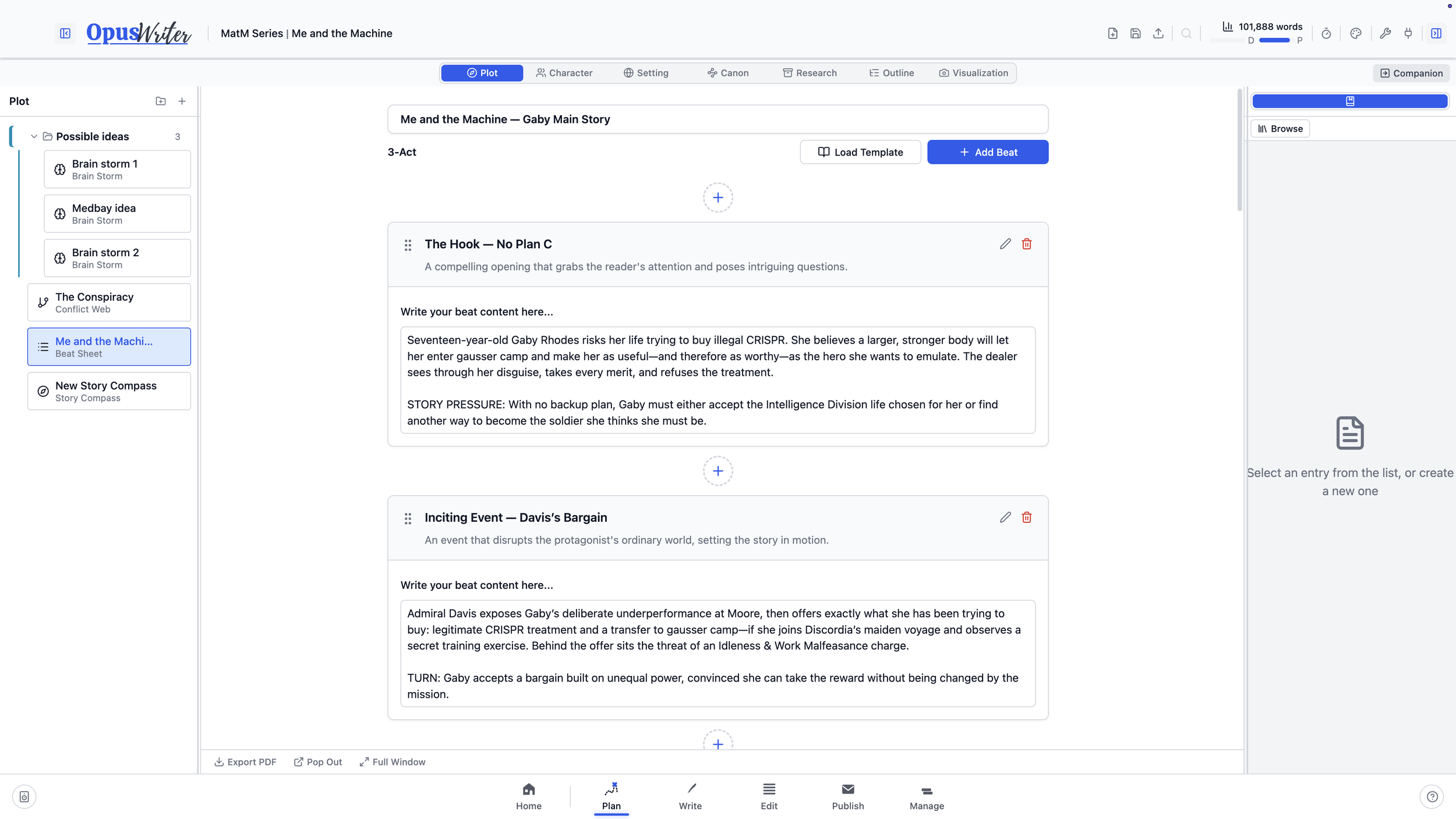
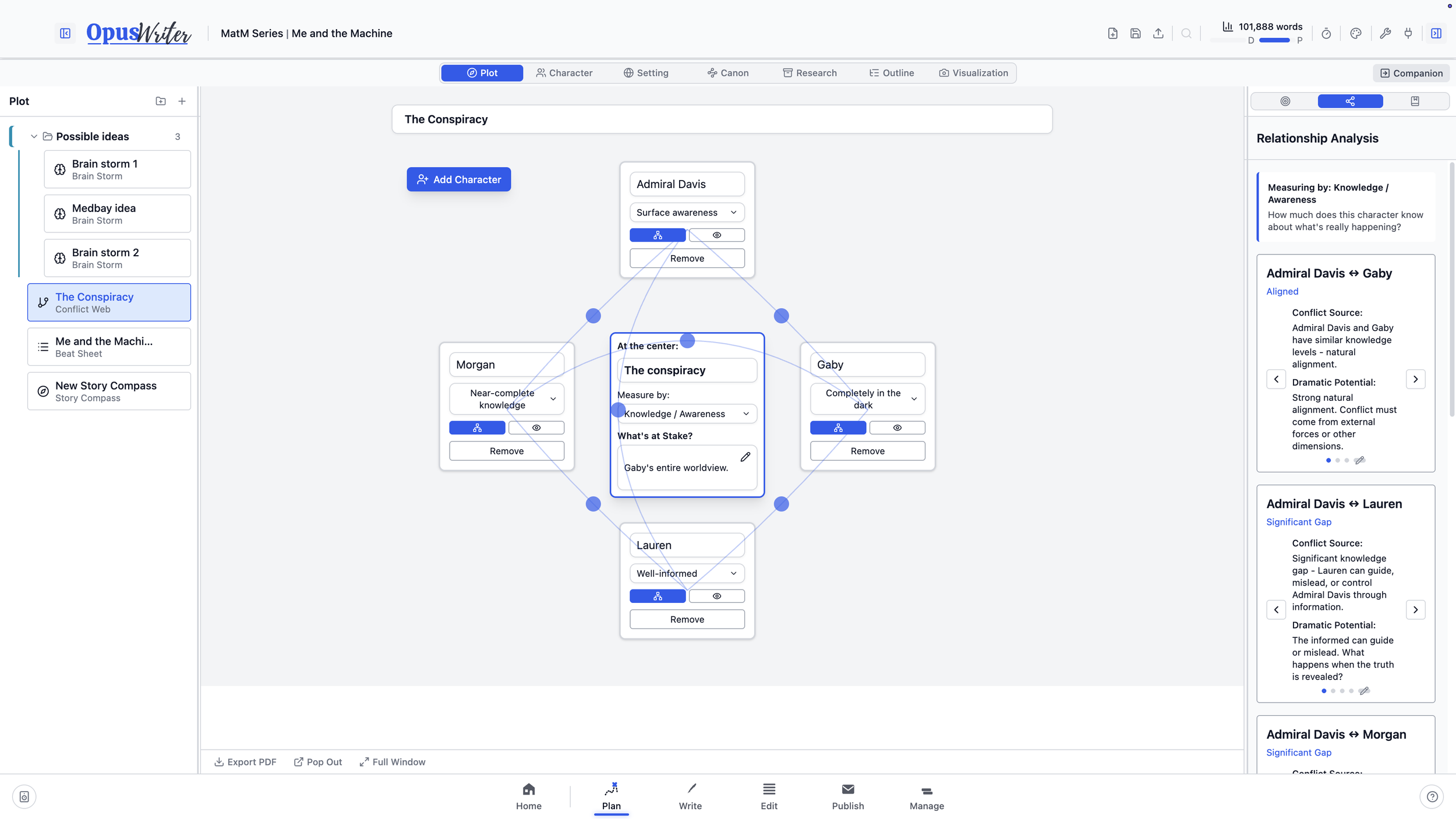
Find the central shape of the story with Story Compass, map its relationships and stakes in Conflict Web, or build from more than thirty Beat Sheet structures covering broad story forms and specific genres and tropes. You can also create a Beat Sheet of your own when an established structure doesn’t fit.
Beat Sheets can connect directly to the Outline or unfold across a Board, where individual beats remain linked to their source instead of becoming disconnected copies.
Characters
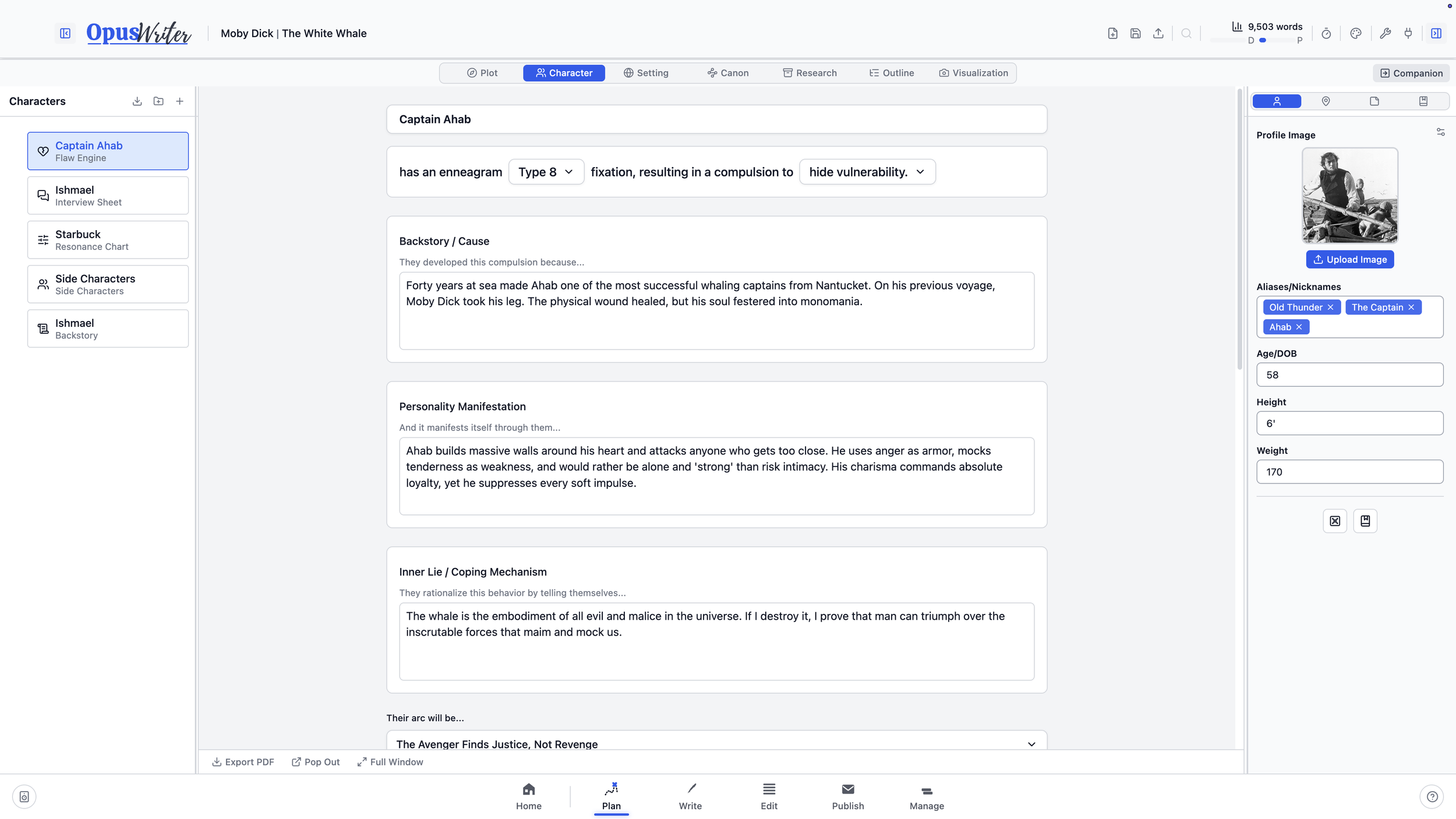
Build characters with a standard profile or choose a tool made for a particular kind of exploration. Interview Sheets help you find the person through a Q&A session. The Enneagram-based Flaw Engine follows the beliefs and coping patterns beneath a character’s decisions.
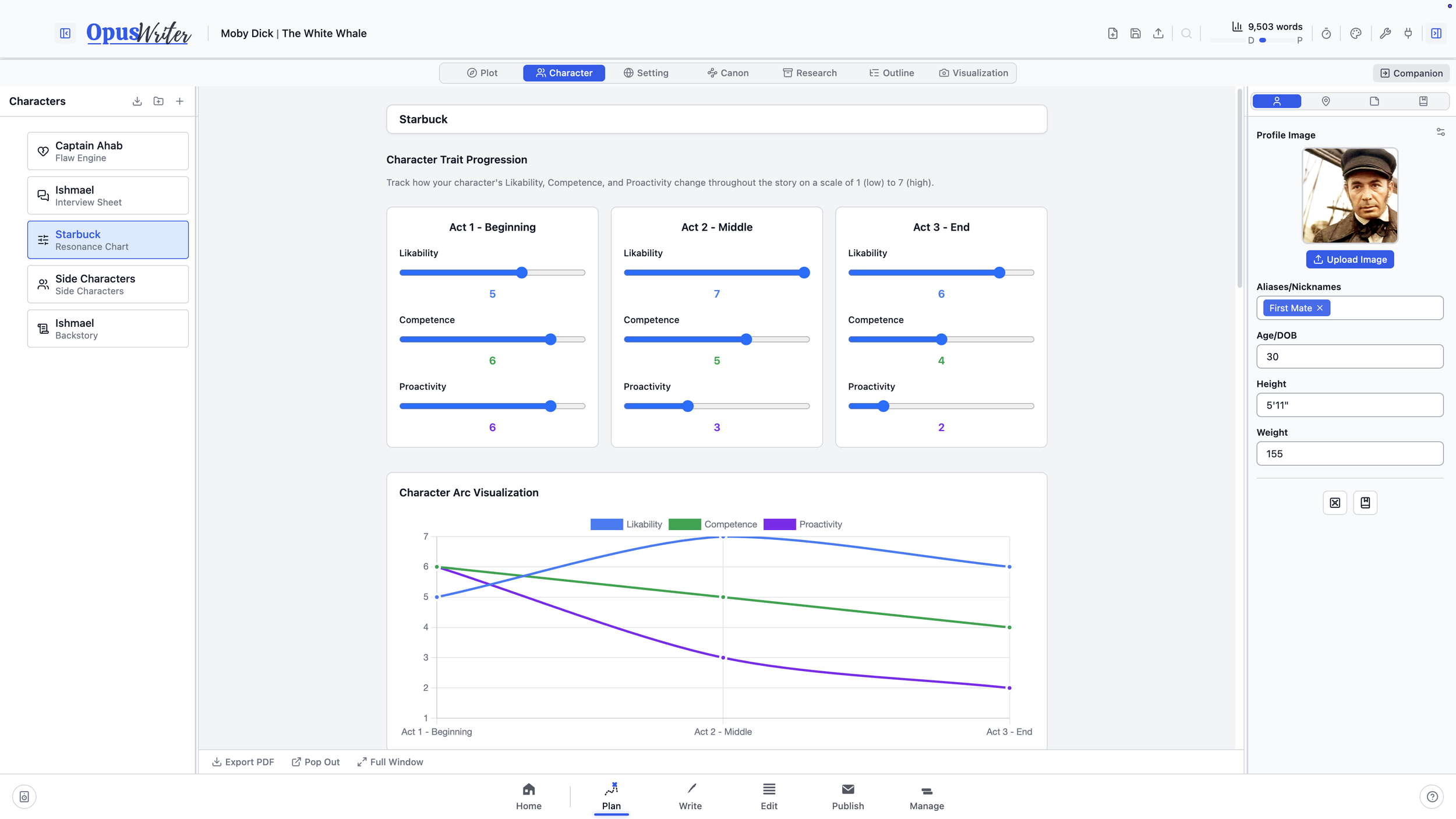
The Resonance Chart, inspired by Brandon Sanderson’s lectures on character development, explores hundreds of possible arcs through changes in likability, competence, and proactivity.
Names, aliases, and nicknames entered here also become part of the project vocabulary used by OpusWriter’s spellcheck.
Settings, canon, and research
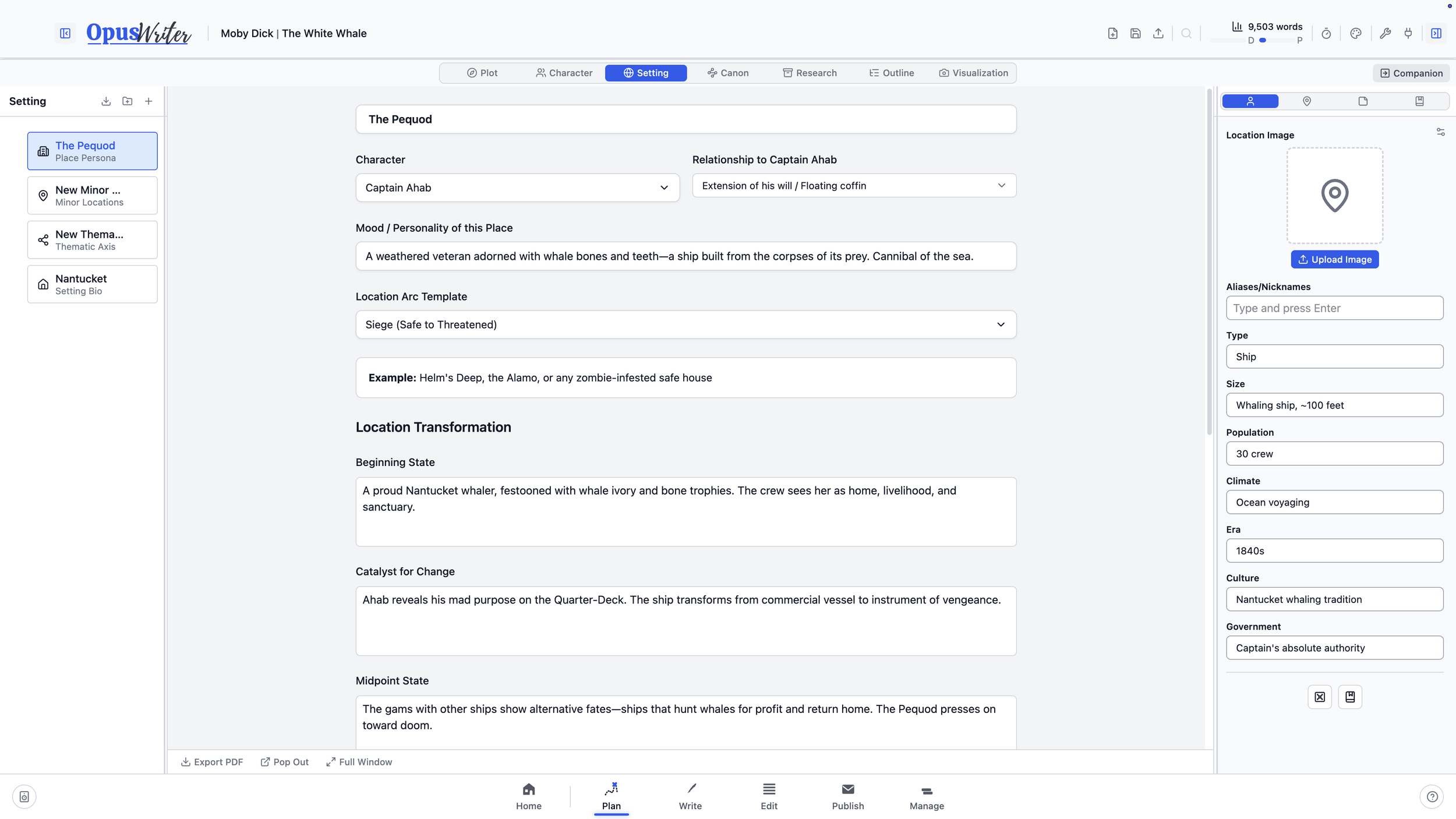
Develop places through profiles, thematic relationships, location histories, and tools that treat the setting as more than a backdrop. Canon tools cover the rules of the world, including languages, creatures, technologies, magic systems, artifacts, history, and myth.
Research keeps PDFs, images, Word documents, and other source material inside the project, where it can be organized and connected to the work it supports.
Board and timelines
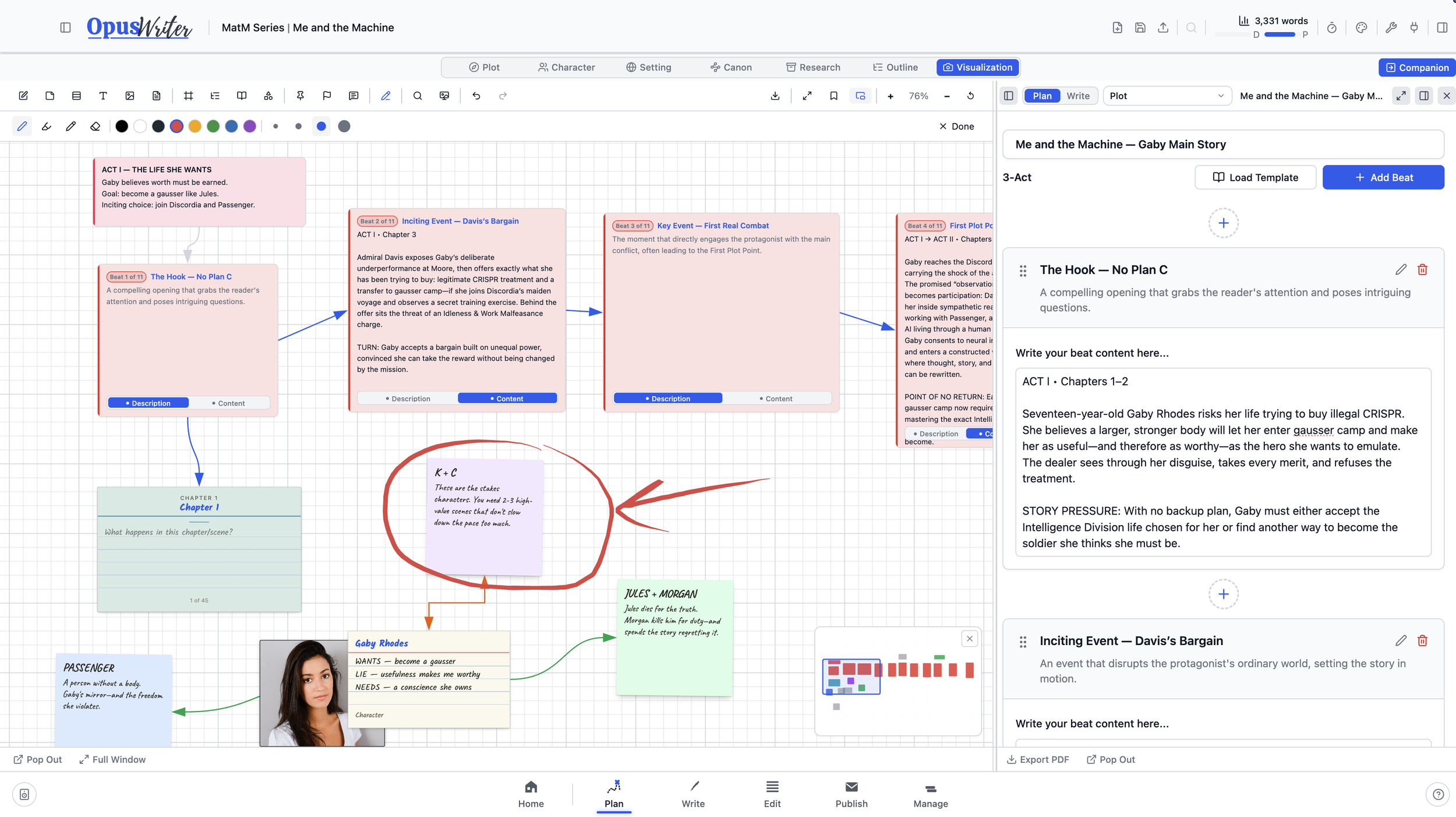
Board isn’t just a place to arrange links to work you created elsewhere. Characters, settings, planning tools, chapters, and scenes can begin on the Board and become real parts of the project.
Imagine arranging a story in Milanote, adding a chapter card, and finding that chapter already waiting in your manuscript when you open Write. Existing parts of the project can be placed on the Board too, and every card remains connected to its source.
Timelines can follow nested events, calendar dates, or a calendar built for your fictional world.
Plugin Creator
If the planning tool you need doesn’t exist, make it. Plugin Creator lets you arrange text fields, longer writing spaces, dropdowns, checkboxes, tables, images, documents, instructions, and decorative elements without writing code.
Publish the finished tool to your Library and it becomes available alongside the built-in tools in Plot, Character, Setting, or Canon.
Your planning keeps working
Open your outline beside the manuscript in Write and continue editing it there. Compare intended tension from Plan with the prose analysis in Edit. Carry selected characters, settings, and canon into another book through the Vault when a standalone novel grows into a series.
The work you do in Plan doesn’t stay in Plan.